
Audit
Trusted by 2,300+ auditors in 28 countries

Stop chasing.
Start auditing.

Last busy season, your team sent roughly 2,000 emails per audit. Most of them asked the same thing: "Where's the depreciation table?" Alkmist puts PBC collection, status tracking, and client communication in one structured place.

35%
time saved
90%
less email
2,300+
users
28
countries
yourfirm.alkmist.com · Audit Portfolio
Audit Portal
SA
Senior Auditor
Active Engagements
EngagementSectionOpenWaiting OnStatus
Europarts 2024Final · Fixed assets12Client (3 items)In Progress
NovaTech 2024Tax & VAT4All submittedAccepted
GreenField 2024Provisions8Client (info missing)Requested
BlueStar 2024Bank confirmations2Bank (pending)Overdue
Europarts · 3 items overdue
NovaTech · VAT accepted ✓
📬 Auto-reminder sent
🎉 GreenField 100% complete!
What auditors actually deal with

Recognised in every
audit team we've spoken to

The tools haven't kept pace with the work. Your team is sharp, but they're buried under coordination tasks that nobody went into audit to do.

01
📧

Email is your PBC system

On average, 2,000 emails fly per audit engagement. Most are status requests, reminders, and questions about documents uploaded to the wrong thread.

02
📊

Excel is your progress tracker

PBC lists with 120+ rows, colour-coded by the associate who left last quarter. Nobody trusts the status column. The file itself has become the bottleneck.

03
😰

Clients don't know what's expected

The Tuesday morning call: "I uploaded everything, why haven't I heard back?" They're not difficult. They're confused. Confusion breeds frustration on both sides.

04
🔓

Security held together by habit

Sensitive annual accounts as email attachments. Former employees still have access to shared drives. No encryption on document flows. Compliance gaps pile up quietly.

05

Managers report instead of audit

Up to 10% of audit time goes to status updates for partners. Another 15% to manual reminders. That's a quarter of your most expensive people doing admin.

06
📁

Files everywhere, overview nowhere

Documents across mailboxes, OneDrive, SharePoint, WeTransfer. The right depreciation table? Good luck finding it before the partner meeting.

20–35%
of audit time lost to status tracking & overhead
~2,000emails
sent per audit engagement on average
€1.2–6M/yr
cost of inefficiency for a 100-auditor firm
78%
of firms looking to fix admin processes this year
How Alkmist works for audit

Every engagement. Every section.
One structured process.

Alkmist organises your audit engagements into structured, trackable task flows. Your team and your clients see the same information, in real time, without a single reminder email.

📋1
Import PBC Lists
From Your Existing Excel

Upload your current PBC template. One click converts it into structured task flows with sections, due dates, and collaborators.

🏗️2
Set Up Workspaces
Per Client, Per Project

Workspace per client. Separate vaults for Audit, Tax, Advisory. Roles and folder-level permissions set in minutes.

🔗3
Invite Clients
Branded Portal

Clients get a login to your branded portal. They see their tasks, upload documents, ask questions. No training manual needed.

🔄4
Collaborate & Track
Real-Time Status

Every task has a status, a comment thread, and upload zones for both sides. Automated reminders keep clients moving.

5
Review & Sign-Off
Accept, Reject, Clarify

Accept documents, request clarification, or reject with a note. Full audit trail logged and timestamped automatically.


Platform Capabilities

Built around how
audit firms actually work

Task Flows

Your entire PBC list.
Structured and tracked.

Every document request becomes a task with a status, a due date, and people attached to it. The audit hierarchy (Final, Tax, General) is mirrored exactly. When a client uploads the wrong file, you see it immediately and flag it right there.

  • Import from Excel, matching your existing PBC structure
  • Custom statuses: Requested, In Progress, Submitted, Accepted
  • Filter by status group, team member, overdue, or audit section
  • Real-time progress dashboard with status breakdown
Europarts · Audit 202423% complete
TaskStatusProgressDue
▾ Final4/23
▾ Fixed assets3/5
Depreciation table 2024In Progress0/112/06/2025
Overview of disposalsAccepted1/112/06/2025
Valuation intangible assetsAccepted1/112/06/2025
▾ Tax & VAT1/7
All VAT returns 2024Accepted1/112/06/2025
Client Collaboration

Every conversation.
Tied to a task.

Each task has its own upload zone and comment thread, visible to both auditor and client. When someone uploads the wrong file, you mention it right there. Configurable reminders handle follow-up automatically: initial request, inactivity nudge, deadline warning.

  • Dual upload zones: client-supplied vs. auditor attachments
  • In-task comments replace email chains
  • Automatic reminders when deadlines approach or activity stalls
Depreciation table 2024
Europarts · Final · Fixed assets
In Progress
Attachments (client)
📄 vat-return-Apr-2024.pdf 34 KB
📄 vat-return-Aug-2024.pdf 18 KB
Comments
Stijn (Auditor) · 23/05
You've uploaded the VAT returns, but we need the depreciation table here. Could you swap them?
Client · 23/05
Oops! Uploading the correct file now.
⏰ Auto-reminder: 3 documents due tomorrow. Notification sent.
Workspaces & Permissions

One portal for all clients.
Each in their own vault.

Every client gets a workspace. Inside, separate projects for Audit, Tax, Advisory. You define who can read, write, or delete, per directory, per role. No more Company A accidentally seeing Company B's trial balance.

  • Client workspaces with separate projects (Audit, Tax, Advisory)
  • Predefined roles: Client, Reader, User, Writer, or fully custom
  • Directory-level Read / Write / Delete permissions per role
Create Role
Name
Custom Role
DirectoryReadWriteDelete
📁 /
📁 2025
📁 January
📁 Client Info
Audit Portfolio Overview

Every engagement. Every deadline.
One screen.

Replace the Monday morning inbox scan with a live portfolio view. See every engagement, every open action, every overdue item. Know where to focus today without assembling a status report first.

  • Portfolio view across all active engagements
  • Waiting-on tracking: who owes what, named blockers
  • Real-time notification feed across all your audits
Audit Portfolio4 active engagements
4
Active
1
Final review
14
Client items
3
Milestones
EngagementBlockerAction
Europarts 2024Client: 3 items overdueEscalate
GreenField 2024Info missing 5 daysFollow up
BlueStar 2024Bank, week 3 of 4External
Smart Follow-Up

Reminders that people
actually respond to

Generic "Reminder: item still open" emails get ignored by the third one. Alkmist uses behavioral science to adjust tone, timing, and urgency based on context. Early messages are supportive. Near deadlines, they're specific: "1 document left for fixed assets. Takes about 2 minutes." That framing difference changes completion rates.

  • Adaptive urgency: soft nudge → clear prompt → escalation
  • Culture-aware messaging: formal, friendly, or neutral
  • 50% faster response times, 80% fewer manual follow-ups
  • Internal and external reminders, fully configurable
Notification Config
Initial RequestActive
Notification when new document is requested
In-appEmail
Inactivity ReminderActive
Auto follow-up if no action after:
24h48h72h
Deadline RemindersActive
7 days3 days1 day
"
If I have to send one more reminder email asking for a depreciation table that was due three weeks ago, I'm going to lose it. We need somewhere clients see what's outstanding without us having to chase.
Audit Manager, Mid-Market Firm (Benelux)
Discovery call, March 2025
35%
Less time on coordination with structured workflows
90%
Email volume reduction after first audit season
28
Countries where Alkmist is active today
2,300+
Users across audit, tax, and advisory
Who Alkmist serves

Every role in the audit
works better with structure

Whether you're the partner reviewing sign-off status, the junior collecting PBC documents, or the CFO wondering what's still expected, everyone gets exactly what they need.

👔

The Partner / Manager

Oversight & Quality

You run 10–30 engagements simultaneously. Alkmist gives you a live dashboard across your entire portfolio: completion rates, overdue items, client response times. No more opening 40 email threads to build a status overview.

📋

The Senior / Associate

Execution & Collection

PBC collection, document follow-up, status updates. You keep the audit moving. Alkmist replaces the Excel tracker with task flows that show exactly what's outstanding, per section, per client. When a document arrives, you see it immediately.

🎓

The Junior / Staff

Daily Execution

Your first week, someone handed you an Excel PBC list and said "chase these." Alkmist gives you a clear list of tasks, who's responsible, and what's overdue. You focus on the audit work, not figuring out where to find the right file version.

🏢

The Client (CFO)

Document Provider

You have a day job, and "upload 47 documents for the auditor" isn't it. Alkmist shows exactly what's needed, by when, in what format. Upload files, ask questions, track progress. No 15-email thread about which depreciation table format they want.


Security & Compliance

Built for the standards
your audits demand

Audit data is regulated data. Alkmist treats security as architecture, not a checkbox. Every environment is isolated, encrypted, and logged.

🔒

GDPR Compliant

EU data residency. Full compliance for sensitive financial documents across jurisdictions.

🛡️

ISO 27001

Independently audited information security management. International standards, no shortcuts.

📋

Full Audit Trail

Every upload, status change, and comment logged with identity and timestamp. Defensible in any review.

🏷️

White-Label

Clients see your brand, your domain, your portal. Multi-language for cross-border work. Not "powered by some tool."


Data from the field

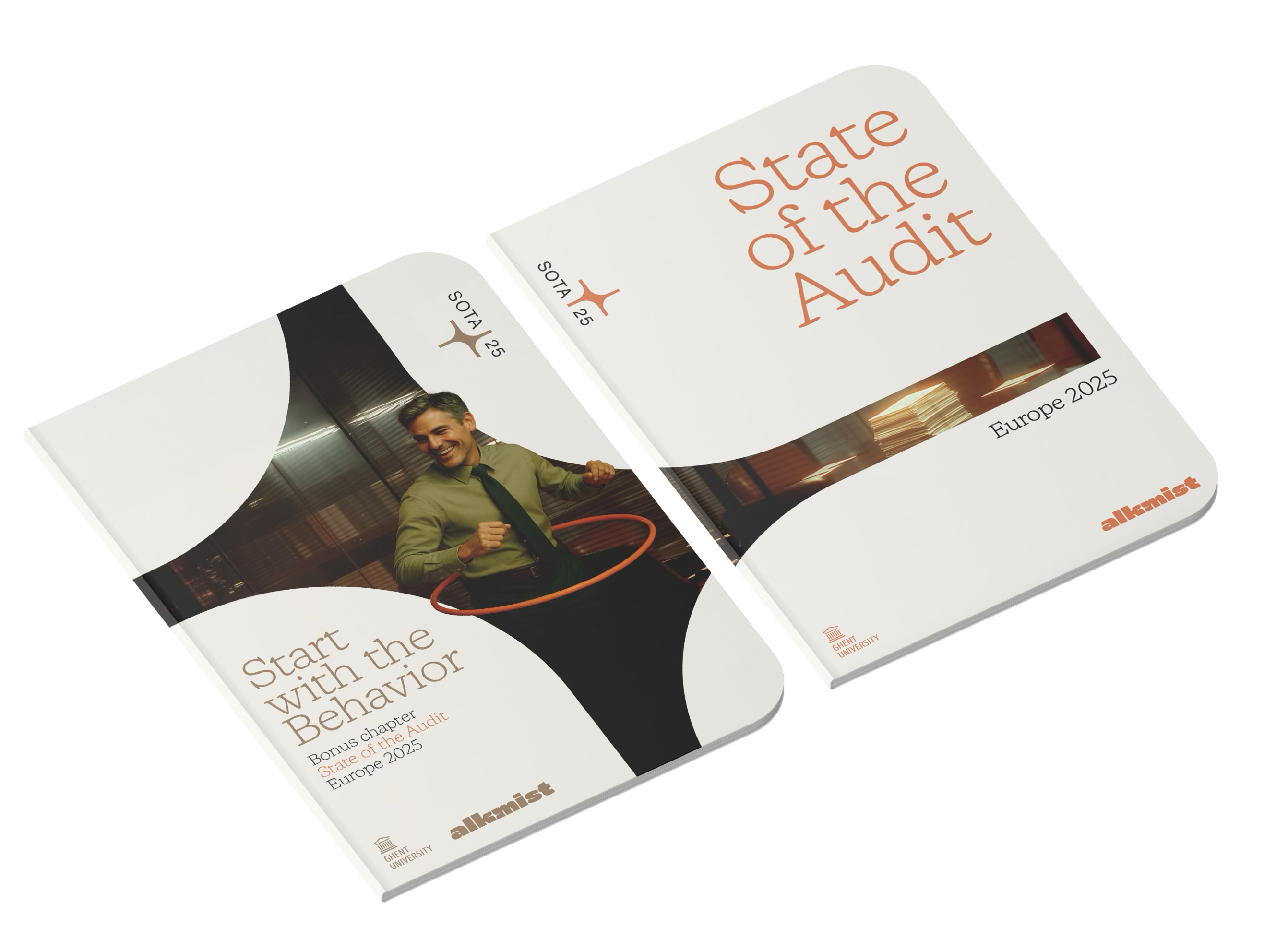
State of the Audit
Benelux Report

26 firms surveyed. The findings put hard numbers on what practitioners already felt: the gap between how audits should run and how they actually do is costing firms millions per year.

Communication overhead · Security gaps · User experience · Innovation readiness
20–35%
time lost to status tracking per audit
~2,000
emails per audit engagement
State of the Audit Report
Ready to see it? 👀

The demo uses
real audit workflows.

We walk through the exact flow your team would use, from PBC import through sign-off, with scenarios from real European mid-market audits. No generic product tour. No features you'll never touch.

Pilot-ready in weeks. White-labelled under your brand from day one. Priced below one billable hour per auditor per month.
Blogs

A good read for you!

Audit
Client-centric in name only? Audit firms face a service experience gap
Firms often emphasize client collaboration as a core value. But new data suggests a significant disconnect between stated priorities and the service experience clients actually receive. This article explores the root causes and offers a practical path forward.
Read article
Audit
5 tips for a smooth audit technology rollout
Rolling out audit technology works best with the right champions, realistic planning, clear expectations, and intentional contributors; making adoption faster, smoother, and more effective
Read article
Audit
Audit Productivity and Email Overload: Solving the 2000+ Email Problem
Most audit teams don’t intend to over-communicate. It happens organically, one email thread at a time.
Read article
Audit
15% of the Time Is Spent Sending Manual Reminders. This is how Alkmist Automates the Chaos
Alkmist does what Excel sheets, email threads, and makeshift portals can’t: it makes audit collaboration intuitive, seamless, and actually enjoyable.
Read article
Audit
Quantification Fixation: Why Audit Firms choose the wrong audit software
Same choice, different emphasis, yet decisions flipped based on what had a number attached. This bias isn’t just about hotels. It affects every decision we make, including how we choose audit software. Now, think about how this plays out in audit software selection.
Read article
FAQ
We’re here to answer
your questions.
How do audit firms manage PBC request lists without email?
Chevron down icon
Alkmist lets you import your existing Excel PBC list into a structured task flow with one click. Each row becomes a tracked task with a status (Requested, In Progress, Submitted, Accepted), a due date, assigned collaborators, and a comment thread. Clients log into your branded portal to see exactly what's outstanding, upload documents directly to each task, and ask clarifying questions in context. The entire PBC process runs in one place instead of across 2,000 emails.
Contact us
What is audit client collaboration software and how is it different from a shared drive?
Chevron down icon
Audit client collaboration software is a platform built specifically for the back-and-forth between auditors and their clients during an engagement. Shared drives (OneDrive, SharePoint, Google Drive) store files, but they don't track which documents have been requested, who uploaded what, whether the right file was provided, or what the current status is per audit section. Alkmist adds that coordination layer: task-level status tracking, in-context comments, automated reminders, and a real-time progress dashboard, all wrapped in a branded portal your clients actually use.
Contact us
Can Alkmist integrate with Caseware and other audit software?
Chevron down icon

Yes. Alkmist connects with Caseware so documents collected through the platform can be pushed directly into the right engagement file without manual downloading and re-uploading. The integration reduces double handling and keeps the document trail intact. If your firm uses other tools alongside Caseware, Alkmist can work as the client-facing collection layer that feeds into your existing audit software stack.
Contact us
How does Alkmist handle file security and GDPR compliance for audit engagements?
Chevron down icon
Alkmist is ISO 27001 certified and fully GDPR compliant. Every client gets a single-tenant environment, meaning your data is completely isolated from other firms. Files are encrypted with AES-256 both in transit and at rest. Access is controlled through granular, role-based permissions down to the folder level, so clients only see what they're authorised to see. Every action (uploads, downloads, status changes, comments) is logged with a user identity and timestamp, creating a full audit trail that's defensible in any regulatory review.
Contact us
How long does it take to set up Alkmist for an audit firm?
Chevron down icon
Most firms are live within a few weeks. There's no multi-month IT project involved. You upload your existing PBC Excel template, configure your workspace structure (one per client, with projects for Audit, Tax, Advisory), set up roles and permissions, and invite your first clients. The interface is designed so clients can start using it without training or onboarding sessions. Firms typically pilot with a handful of engagements during their first busy season and expand from there.
Contact us
 How does Alkmist reduce email volume during audit season?
Chevron down icon
Firms using Alkmist report a 50 to 90 percent reduction in audit-related email. The drop happens because the three biggest email categories, status requests ("did you get the file?"), reminders ("this was due last week"), and clarifications ("wrong document, we need the depreciation table not the VAT returns"), all move into the platform. Status is visible in real time. Reminders are sent automatically based on configurable triggers (24h, 48h, 72h inactivity, or approaching deadlines). Clarifications happen in task-level comment threads where both sides see the conversation alongside the uploaded files.
Contact us
Can clients use the platform without training or installing software?
Chevron down icon
Yes. Clients access Alkmist through a web browser. No app download, no desktop installation, no training session required. They receive a login link to your branded portal, where they see a clear list of tasks: what's needed, by when, and where to upload it. The interface uses plain language, not audit jargon. CFOs and controllers consistently report that they can start using the platform the same day they receive their login.
Contact us
 Does Alkmist support white-labelling for audit firms?
Chevron down icon
Fully. Alkmist runs under your firm's domain (e.g., yourfirm.alkmist.com), with your logo, your colours, and your branding throughout. Clients see your portal, not a third-party tool. Email notifications come from your brand. The platform also supports multiple languages, which matters for cross-border engagements where your Belgian office works with subsidiaries in France, the Netherlands, or Germany.
Contact us
How does real-time audit progress tracking work in Alkmist?
Chevron down icon
Every task in a task flow has a status that updates automatically when clients take action (uploading a file moves the status from Requested to Submitted). Auditors can then accept, reject, or request clarification, which updates the status again. At the engagement level, a dashboard shows overall completion percentage and a breakdown by audit section and status group (Requested, In Progress, Submitted, Accepted, Not Applicable, Information Missing). Partners and managers can see all active engagements at once in a portfolio view, with filters for overdue items, specific team members, or named blockers. No more assembling status reports manually.
Contact us
What does Alkmist's smart follow-up feature do?
Chevron down icon
Alkmist's smart follow-up system sends automated reminders that adjust their tone and timing based on where the engagement stands. Early in the process, messages are light and supportive. As deadlines approach, they become more specific and direct ("1 document remaining for fixed assets, takes about 2 minutes to complete"). The system can also account for cultural context, sending more formal messages to corporate clients and friendlier ones to smaller businesses. Firms using smart follow-up report 50% faster client response times and 80% fewer manual follow-up emails per engagement.
Contact us
Got a quick q?
Talk directly with our founders.
Talk to Mathias & Toto